
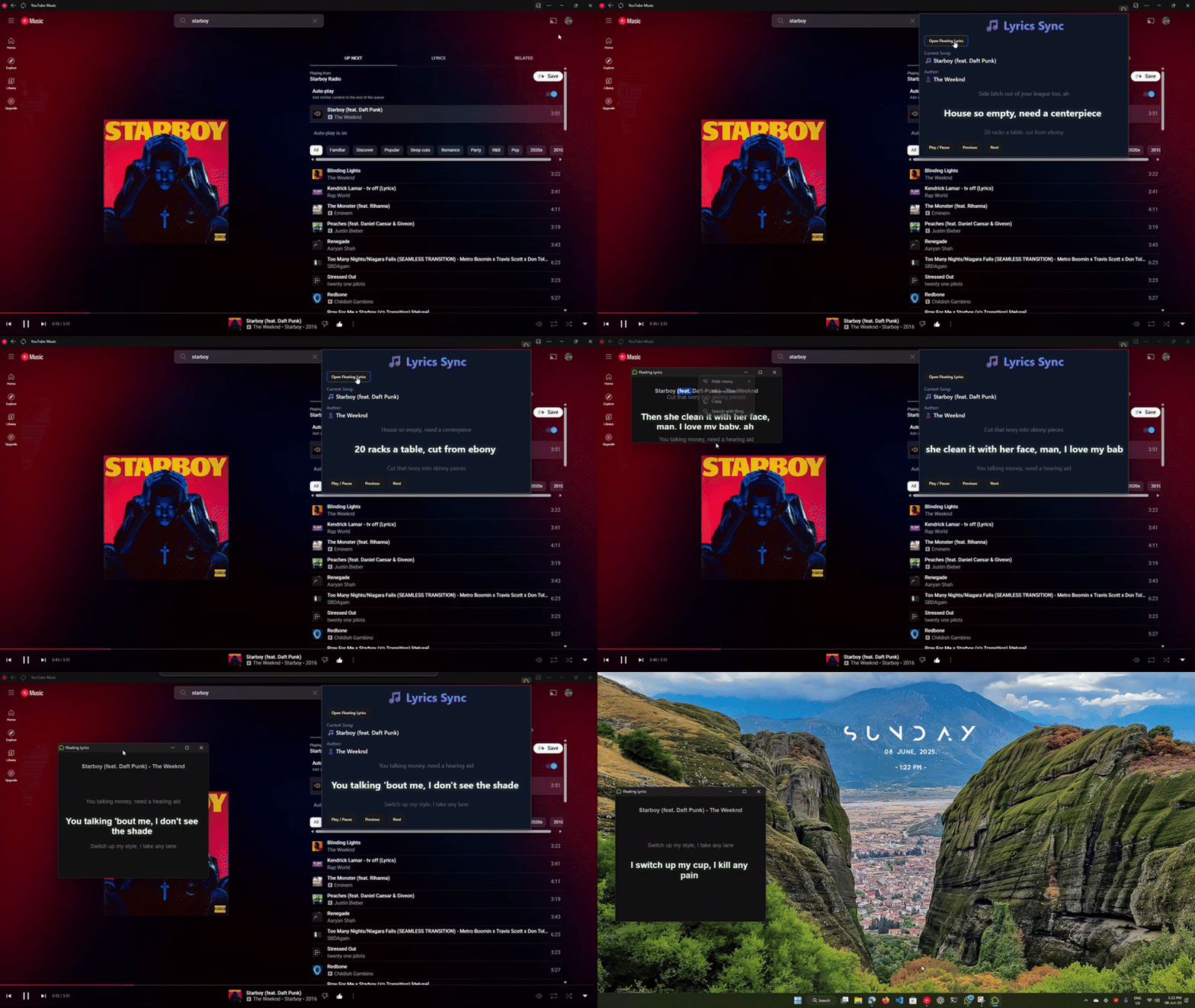
A simple Chrome Extension to show floating synced lyrics while listening to music on YouTube Music.
✅ Works in popup and floating window
✅ Displays previous / current / next lyrics with smooth transitions
✅ Syncs lyrics with current time
✅ Native CSS for floating window (no Tailwind needed)
✅ Built using WXT.dev (Web Extension Toolkit) → fast and modern setup
-
Download the Extension:
Go to the Releases page and download the latestlyrics-v1.zipfile. -
Extract the ZIP:
Unzip the downloaded file to a folder on your computer. -
Load in Chrome:
- Open
chrome://extensions/in your browser. - Enable Developer mode (top right).
- Click Load unpacked and select the extracted folder.
- Open
-
Start Using:
The extension icon will appear in your Chrome toolbar. Open YouTube Music and enjoy floating synced lyrics!
A portable .exe app is included for Windows users. This app syncs with the music playing on YouTube Music and connects directly to the extension for enhanced lyric synchronization.
-
Download the App:
Get the latestlyrics-sync.exefrom the Releases page. -
Run the App:
Double-clicklyrics-sync.exe(no installation needed). -
Connect to Extension:
The app will automatically detect music playing on YouTube Music and sync lyrics with the extension.
Note:
- The portable app runs in the background and requires no setup.
- Make sure Chrome and the extension are running for full functionality.
- No data is sent externally; all syncing happens locally.
- If lyrics don't appear in the app, make sure the extension is installed correctly and try reloading YouTube Music.
🎵 Floating lyrics window
🎵 Popup with current song info and lyrics
🎵 Real-time sync using lrclib.net public API
🎵 Works fully offline after load
🎵 Light-weight and fast — no extra libraries
- WXT.dev → Web Extension Toolkit
- React + TypeScript (popup)
- Content script to extract YouTube Music player state
- Background service worker → lyrics caching + sync
- Native CSS → smooth lyric transitions
git clone https://github.com/santhoshkumar-dev/lriczy
cd lriczynpm installnpm run devThis will start WXT.dev and give you a URL → load that as an unpacked extension in Chrome.
npm run buildThe build will be output in the .output folder → ready to pack and publish.
entrypoints/
├── popup/              → Popup window (React + CSS)
│   ├── App.tsx
│   ├── App.css
│   ├── index.html
│   ├── main.tsx
│   ├── style.css
├── background.ts       → Background service worker (MV3)
├── content.ts          → Content script for YouTube Music
public/                  → Static files
package.json
tsconfig.json
wxt.config.ts1️⃣ Content script (content.ts) runs on music.youtube.com → extracts:
- current song name
- author
- current play time
2️⃣ It sends messages to:
- background worker → caches lyrics
- popup → updates lyrics view
- floating window → updates lyrics view
3️⃣ Lyrics are fetched from lrclib.net synced lyrics API.
4️⃣ Popup and floating window both show:
- Previous lyric (fade up)
- Current lyric (fade in/out, glow)
- Next lyric (fade down)
✅ Floating lyrics
✅ Popup with lyrics
✅ Background lyrics cache
✅ Smooth animations
Known Issues / Bugs 🐛 🚧 Some bugs still need fixing:
Previous lyrics sometimes remain visible when song changes → If a new song starts and no lyric is playing yet, the "previous" line may still show the old song's previous lyric until the next lyric is detected.
Performance on very long syncedLyrics → On some songs with very dense syncedLyrics, performance may lag slightly (popup window and floating window animations may jitter).
Initial sync delay → Sometimes the floating window needs ~1-2 seconds to sync fully when opened in the middle of a song.
No fallback for unsynced lyrics → If lrclib.net returns no synced lyrics, no fallback static lyrics are shown (this is by design, but can be improved).
Next:
- Multi-platform support (Spotify Web, SoundCloud, etc)
- Light/Dark theme toggle
- Configurable font and style
- Settings page
- lrclib.net → public lyrics API
- WXT.dev → Web Extension Toolkit
- YouTube Music player reverse engineering → content script
MIT — feel free to fork and contribute!
Enjoy your music! 🎵✨