


A Python implementation of WebGPU - the next generation GPU API. 🚀
The purpose of wgpu-py is to provide Python with a powerful and reliable GPU API.
It serves as a basis to build a broad range of applications and libraries related to visualization and GPU compute. We use it in pygfx to create a modern Pythonic render engine.
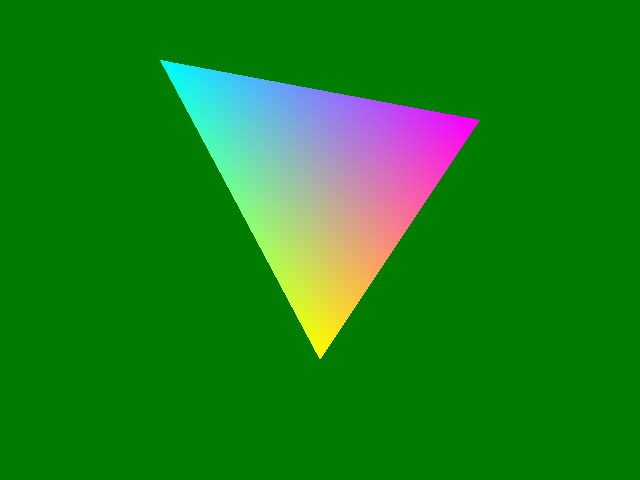
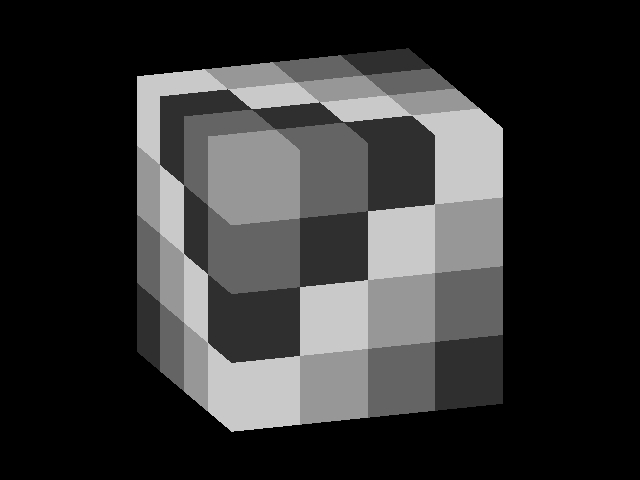
To get an idea of what this API looks like have a look at triangle.py and the other examples.
- Until WebGPU settles as a standard, its specification may change, and with that our API will probably too. Check the changelog when you upgrade!
- Coverage of the WebGPU spec is complete enough to build e.g. pygfx.
- Test coverage of the API is close to 100%.
- Support for Windows, Linux (x86 and aarch64), and MacOS (Intel and M1).
WGPU is the future for GPU graphics; the successor to OpenGL.
WebGPU is a JavaScript API with a well-defined spec, the successor to WebGL. The somewhat broader term "wgpu" is used to refer to "desktop" implementations of WebGPU in various languages.
OpenGL is old and showing its cracks. New API's like Vulkan, Metal and DX12 provide a modern way to control the GPU, but these are too low-level for general use. WebGPU follows the same concepts, but with a simpler (higher level) API. With wgpu-py we bring WebGPU to Python.
Technically speaking, wgpu-py is a wrapper for wgpu-native, exposing its functionality with a Pythonic API closely resembling the WebGPU spec.
# Just wgpu
pip install wgpu

# If you want to render to screen
pip install wgpu rendercanvas glfw
Linux users should make sure that pip >= 20.3. That should do the trick on most systems. See getting started for details.
Also see the online documentation and the examples.
The full API is accessible via the main namespace:
import wgpuTo render to the screen you can use a variety of GUI toolkits:
# The rendercanvas auto backend selects either the glfw, qt, wx, or jupyter backend
from rendercanvas.auto import RenderCanvas, loop

# Visualizations can be embedded as a widget in a Qt application.
# Import PySide6, PyQt6, PySide2 or PyQt5 before running the line below.
# The code will detect and use the library that is imported.
from rendercanvas.qt import RenderCanvas
Some functions in the original wgpu-native API are async. In the Python API,
the default functions are all sync (blocking), making things easy for general use.
Async versions of these functions are available, so wgpu can also work
well with Asyncio or Trio.
This code is distributed under the 2-clause BSD license.
- pygfx - A python render engine running on wgpu.
- shadertoy - Shadertoy implementation using wgpu-py.
- tinygrad - deep learning framework
- fastplotlib - A fast plotting library
- xdsl - A Python Compiler Design Toolkit (optional wgpu interpreter)
See the contribution guide.
- Clone the repo.
- Install devtools using
pip install -e .[dev]. - Using
pip install -e .will also download the upstream wgpu-native binaries.- You can use
python tools/download_wgpu_native.pywhen needed. And runpython codegenonce to obtain the combined headerfile. - Or point the
WGPU_LIB_PATHenvironment variable to a custom build ofwgpu-native.
- You can use
- Use
ruff formatto apply autoformatting. - Use
ruff checkto check for linting errors. - Use
pytest -v testsruns the unit tests. - Use
pytest -v examplestests the examples.
This repository follows the PyGfx Code of Conduct