
Automatic TV show intro detection for Kodi
Download Latest Release
If you find Skiptro useful, buy me a coffee ☕
Skiptro uses audio fingerprinting and machine learning to detect TV show intros across episodes in a season, then exports skip markers that Kodi can use to automatically skip them during playback.
You run Skiptro on your PC or NAS and manage it from a web UI in your browser. Each release also includes a CLI for automation and a tray app that runs the server in the background.
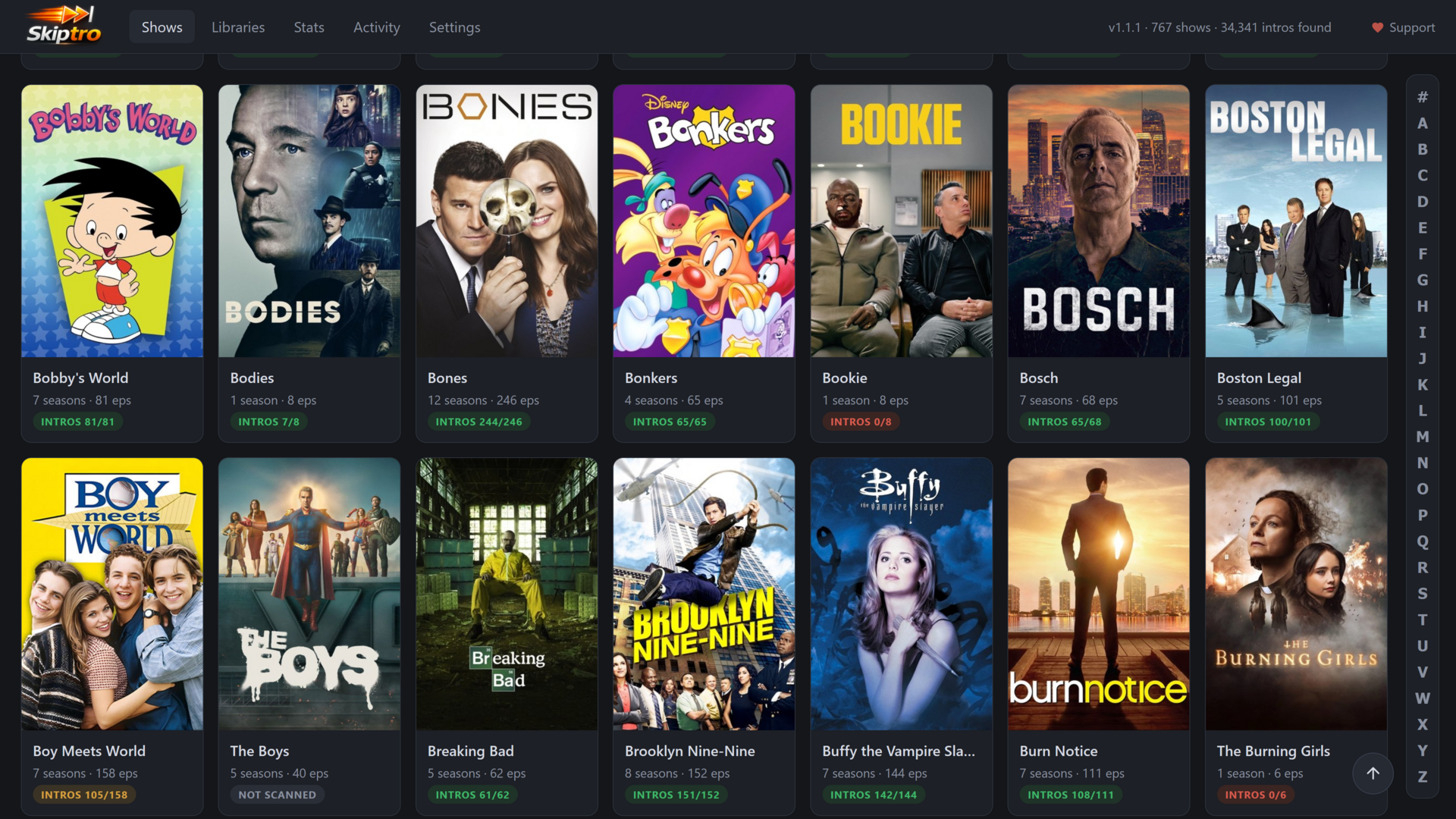
The show grid, with each show's intro coverage at a glance:
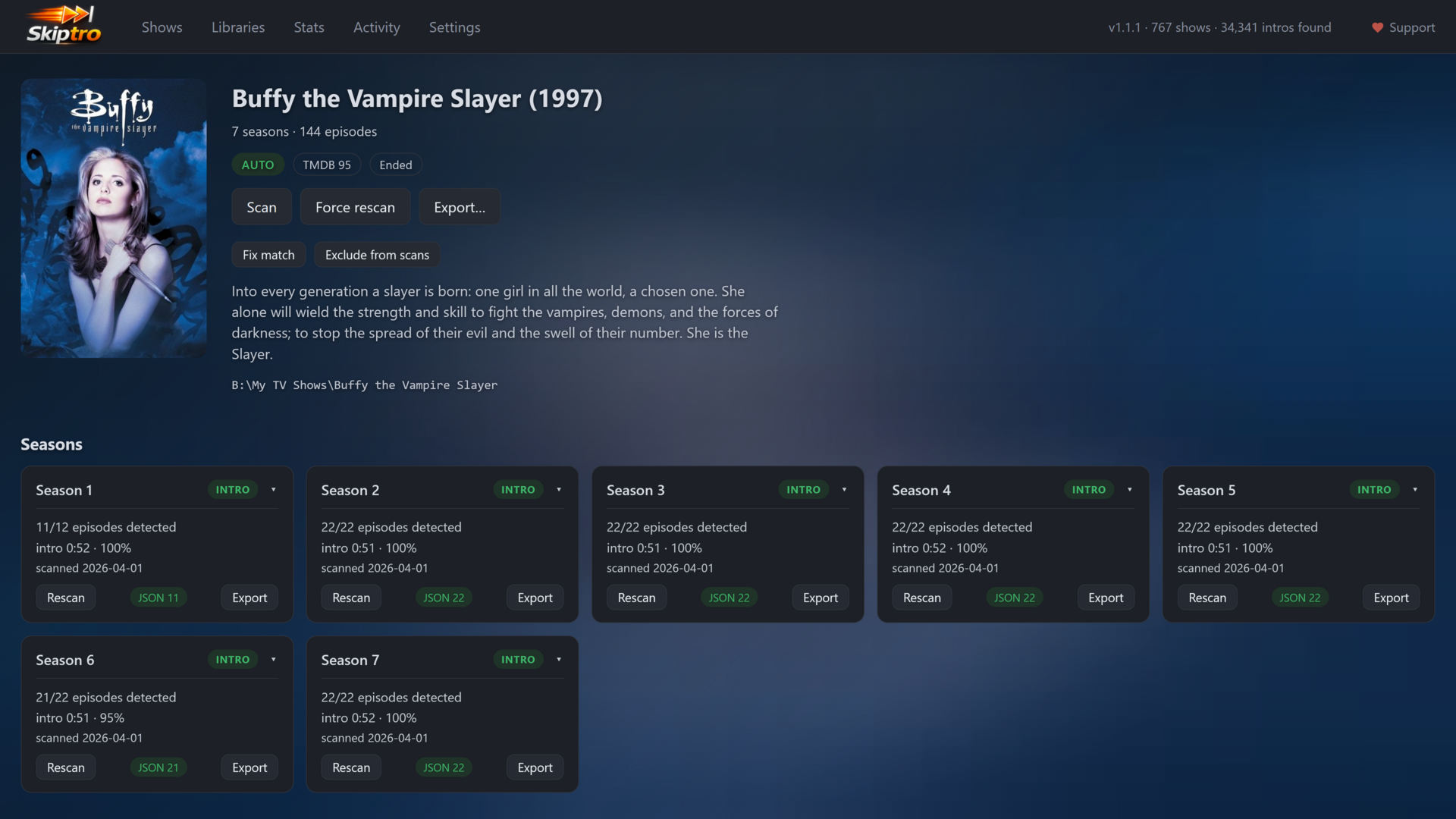
A show's detail, with each season's detected intro, timing, and export status:
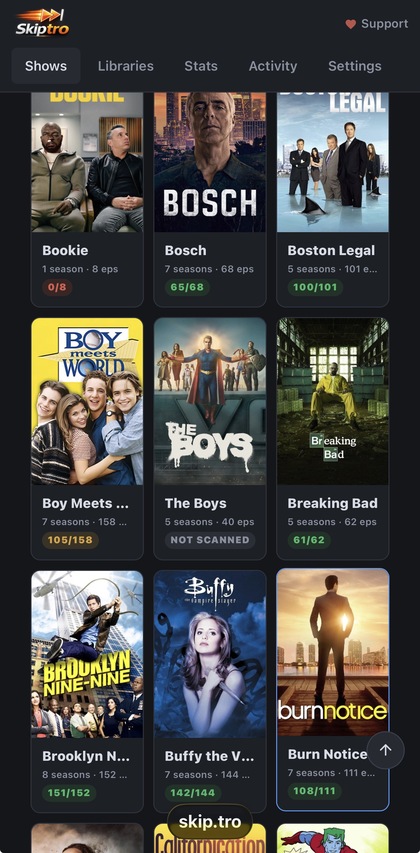
Works from your phone too:
- Browser-based UI to manage libraries, scan, match shows to TMDB, and review results
- Detects intros by comparing audio across episodes in a season
- Keeps skipping intros on new episodes even after you delete the earlier ones (opt-in intro signatures)
- Exports
.skiptro.jsonfiles for the companion Kodi add-on - EDL export for Kodi's built-in auto-skip
- Theme audio export (MP3) for tvtunes integration
- Optional ffmpeg chapter file export for users who prefer to embed chapters
- File formats are described in Output Formats
- Per-show exclusion for skipping specific shows
- Remote access from a phone or another device, with an optional API key
- Docker support for headless/NAS deployments
- Self-contained, no runtime or dependencies required
- Needs at least 2 episodes per season to work
| Platform | Architecture | FFmpeg Included |
|---|---|---|
| Windows | x64 | Yes |
| Linux | x64 | Yes |
| Linux | ARM64 (Raspberry Pi) | Yes |
| macOS | x64 (Intel) | Yes |
| macOS | ARM64 (Apple Silicon) | Yes |
All releases include FFmpeg 9.0 bundled, no additional dependencies required.
- Download the archive for your platform from Releases
- Extract to a directory of your choice
- macOS: You may need to remove the quarantine flag:
xattr -rd com.apple.quarantine Skiptro-Desktop skiptro
| File | Description |
|---|---|
skiptro / skiptro.exe |
The Skiptro app: runs the web UI (skiptro serve) and the CLI |
Skiptro-Desktop / Skiptro-Desktop.exe |
Tray app that runs the server in the background and opens the web UI |
ffmpeg/ |
Bundled FFmpeg 9.0 |
intro_encoder.onnx |
ML model for intro verification |
intro_encoder.onnx.data |
ML model weights data |
Skiptro is managed from your browser.
# Start the server, then open http://localhost:8585
skiptro serve
On Windows you can instead launch Skiptro-Desktop.exe, which runs the server in the tray and opens the web UI for you. Right-click the tray icon for "Start with Windows" and to start or restart the server.
From the web UI you can:
- Add and manage media libraries with a built-in folder browser
- Scan libraries and watch jobs run in a live queue
- Match shows to TMDB for proper titles and posters (optional)
- Review detected intros per season and export
.skiptro.jsonfiles for Kodi - Schedule scans and turn on a file watcher for new episodes
- Allow remote access and reach Skiptro from a phone or another device
To reach it from another device, turn on remote access in Settings and open http://<server-ip>:8585. There is no login by default; set an API key (Settings, or the SKIPTRO_API_KEY environment variable) to require one. For access from outside your LAN, use a VPN or an authenticated reverse proxy. A QR code in Settings fills the key in on a phone.
The same server has a JSON API for scripts and automation, described in REST API.
The CLI is ideal for automation, scheduled tasks, and headless servers.
# Detect intros in one season
skiptro scan "/path/to/TV Show/Season 1"

# Register a library, then scan everything and export skip files for Kodi
skiptro library add "/path/to/TV Shows"
skiptro scan --all --export

# Also write chapter and EDL files alongside the skip files
skiptro scan --all --export --chapters --edlThe export-chapters command writes .skiptro.chapters files in ffmpeg metadata format next to each video. If the video already has chapters, they are preserved and merged with the intro chapter.
These can be embedded into your video files to add chapter markers:
# MKV files, edits in-place, no remux needed (requires mkvtoolnix)
mkvpropedit episode.mkv -c episode.skiptro.chapters

# Any format, remuxes into a new file (no re-encoding)
ffmpeg -i episode.mkv -i episode.skiptro.chapters -map 0 -map_chapters 1 -codec copy output.mkvSchedule scans from the web UI under Settings, or run the CLI from cron (Linux/macOS) or Windows Task Scheduler:
# Nightly at 3am
0 3 * * * /path/to/skiptro scan --all --export| Command | Options | Description |
|---|---|---|
scan <path> |
--movie --force --dry-run --rescan-no-intro --audio-stream N |
Scan a directory and detect intros |
scan --all |
--export --chapters --edl --themes --force --dry-run --rescan-no-intro |
Scan every configured library |
scan-files <files...> |
--force --dry-run --diagnostics --audio-stream N |
Scan specific episode files (min 2) |
status |
Show scan statistics | |
libraries |
List configured libraries | |
library add|remove|rename|enable|disable <...> |
Manage libraries | |
show list|exclude|include <...> |
List or exclude shows | |
show window <show-path> [minutes|default] |
Show, set, or clear one show's search window | |
streams [set|clear] <...> |
--all |
Show or override per-show audio track |
lookup <file> |
Show detected segments for a file | |
cleanup |
--dry-run --force |
Remove detections for deleted or moved episodes |
fingerprints [enable|disable|generate|clear <id>|--all|prune] |
Manage intro signatures (lists them when run bare) | |
export [path] |
Export .skiptro.json files for Kodi | |
export-chapters [path] |
Export ffmpeg chapter files | |
export-edl [path] |
Export Kodi EDL files for auto-skip | |
export-themes [path] |
--name <prefix> --overwrite |
Export intro audio as MP3 for tvtunes |
serve |
--port N --remote --local |
Start the web UI server |
Options:
--forcere-detect, ignoring cached results (withcleanup, also removes past the mass-deletion safety cap)--dry-rundetect without writing to the database (previews, forcleanup)--rescan-no-introre-check seasons marked as having no intro--audio-stream Nuse audio track N (0-based) for multi-language files--movietreat the path as a film, not a TV folder--export--chapters--edl--themesafterscan --all, also write skip files, chapters, EDL, or theme MP3s--diagnosticswrite a JSON diagnostic report--name <prefix>theme filename prefix (default: theme)--overwriteoverwrite existing theme files--allwithstreams, include single-track seasons--port Nserve on a specific port--remote/--localbind all interfaces / localhost only
Detection looks at the first 15 minutes of each episode. A few shows open with a cold open long enough to push the title sequence past that, and those seasons come back with nothing found.
On the show's page, use Search window to widen it to 20, 30, 45 or 60 minutes. From the command line, skiptro show window "/path/to/Show" 30 takes any value from 1 to 90 minutes. It applies to that show only, and every scan of it reads that much more audio per episode, so leave the rest of your library on the default.
Detection needs at least 2 episodes in a season to compare. If you delete episodes after watching, a later season can end up with a lone episode and nothing to match it against.
With intro signatures on, Skiptro stores a small audio fingerprint of each show's intro, so a new or lone episode still gets its intro matched after the earlier ones are gone. It is off by default.
- Turn it on under Settings, or with
skiptro fingerprints enable. - For an already-scanned library, build signatures from existing detections without re-scanning: the Generate action on the Stats page, or
skiptro fingerprints generate. - Manage them on the Stats page (per show or in bulk) or with
skiptro fingerprints(list, clear, prune).
A Docker image is available for headless/NAS deployments (Unraid, Synology, etc.). The container serves the web UI on port 8585.
docker run -d \
  --name skiptro \
  -p 8585:8585 \
  -v skiptro-data:/root/.config/Skiptro \
  -v /path/to/tv:/media/tv \
  -e MEDIA_PATHS=/media/tv \
  mikesilvo/skiptro:latest
Then open http://<host-ip>:8585. The web UI has no login by default; set SKIPTRO_API_KEY to require one, and use a VPN or an authenticated reverse proxy for access from outside your LAN.
services:
  skiptro:
    image: mikesilvo/skiptro:latest
    container_name: skiptro
    labels:
      # Unraid: show a Skiptro icon and a WebUI link in the Docker tab
      - net.unraid.docker.icon=https://raw.githubusercontent.com/MikeSiLVO/skiptro-releases/main/unraid/skiptro-icon.png
      - net.unraid.docker.webui=http://[IP]:[PORT:8585]/
    ports:
      - "8585:8585"
    environment:
      - MEDIA_PATHS=/media/tv
      # Optional: require this key for access from other devices
      # - SKIPTRO_API_KEY=choose-a-long-random-string
    volumes:
      - skiptro-data:/root/.config/Skiptro
      - /path/to/tv:/media/tv
      # Add more media mounts as needed:
      # - /path/to/more-tv:/media/tv2
    restart: unless-stopped

volumes:
  skiptro-data:
Media libraries listed in MEDIA_PATHS (comma-separated) are auto-registered on container startup. Configure scheduled scans and the file watcher from the web UI under Settings. You can also run one-shot commands:
# Manual scan
docker exec skiptro /app/skiptro scan --all --export

# Remove detections for deleted/moved episodes
docker exec skiptro /app/skiptro cleanup
Upgrading from a 0.x image: the old
SCAN_SCHEDULEandSCAN_ARGSvariables no longer do anything. Publish port 8585 to reach the web UI, and set up scheduled scans there.
The companion service.skiptro Kodi add-on shows a skip button during playback when an intro is detected. See its README for installation and details.
See THIRD_PARTY_LICENSES.txt included in each release for third-party license information.