Repository navigation

Replies: 4 comments 5 replies

|
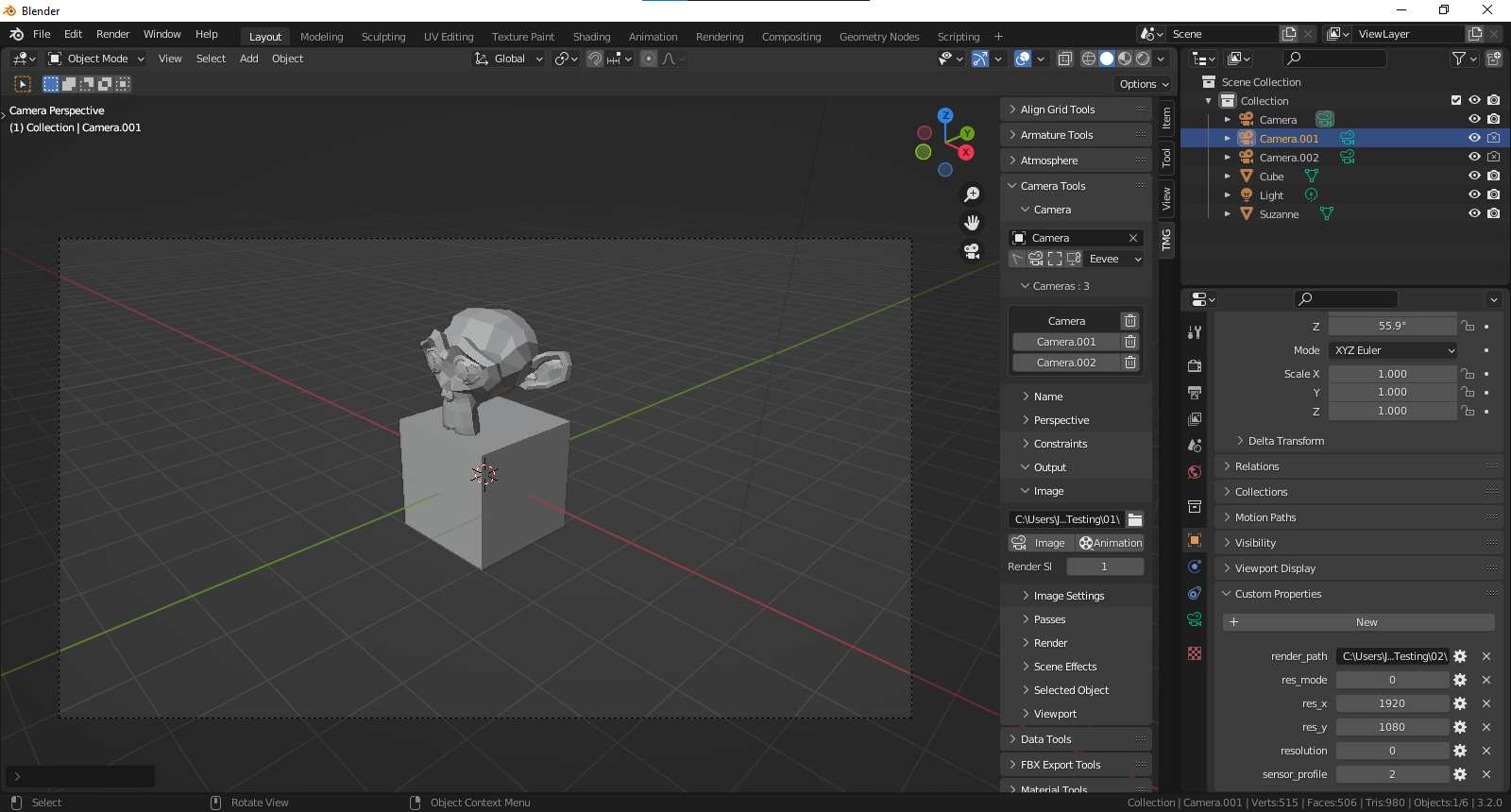
Oo that's a good request! Yes currently it only exports to a single directory. . . Hmm I could probably make that work ;) |
|
I managed to add the render path to a camera custom property so it can be changed independently based on the active camera :)
|

|
oh! You are awesome, I just downloaded your new change that stores the camera's Render into their own directory! |
|
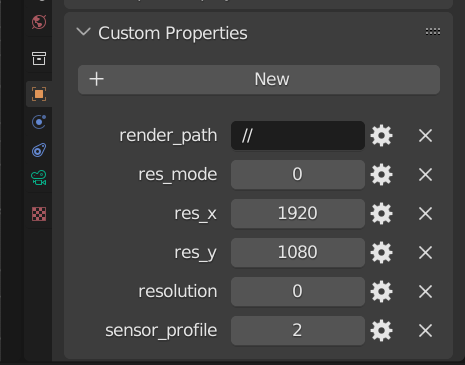
I found this default // the same path as the file is great, but the saved result doesn't seem to have a file name? |

|
That could be tricky. Animations tend to name themselves based on frame number, but single images should be able to use a name value? I'll have to play around with a few things and see if I can get that part working ;) [EDIT] |
|
I've been using your great work for a few hours now, the only downside now is the need to press one camera at a time to Render, but it's a lot easier than having to change paths... XD And I found that even if I append these cameras into another file, these path settings still exist~ |
|
Thank you for your kind words, it brings me great joy to see someone else using it too :) |
|
The tricky thing is most of my panel settings are default blender buttons just placed in what I hope is an easier location / layout to find more efficiently. I store custom properties that I like / modified on the camera object data directly. In theory saving cameras to the asset library might be possible, but I'd have to play around and see if that's an acceptable work around for presets ( I'd love to have custom presets, but I haven't created that type of setup yet )
|
|
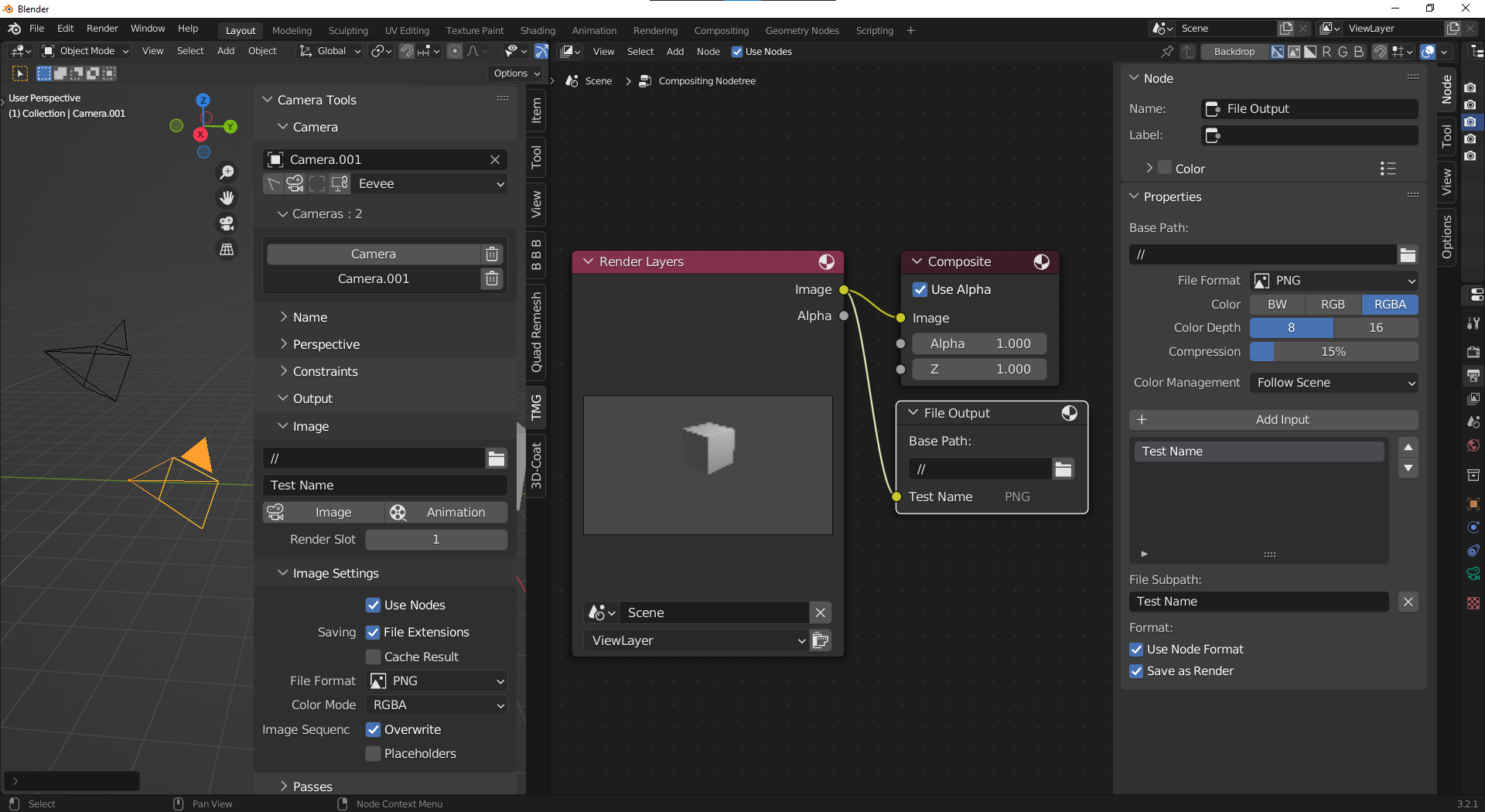
So I managed to get the compositor to export an image to the directory, the trick is that when you render an animation it will render twice the frames. . . Tricky little bugger to get working properly but it's getting there :) You'll have to add a File Output node to the compositor, hook into the Render Layers Image output, and enable Use_Nodes, but the rest is automated.
|


Uh oh!
There was an error while loading. Please reload this page.
The output of this ADDON seems to be unable to specify each camera in a different output directory?
I see that there is Output in the UI design, but in fact, it is not possible to make settings for each camera, for example, the Render results of camera A are stored in the A directory, and the B camera is stored in the B directory.
Hopefully there will be enhancements like this, which would be very useful.
In addition, a function of batch calculation can be added, which can be automatically calculated and stored separately with just one click, which can greatly reduce the time waiting on the computer. Although we can make some batch files by ourselves, we can set them directly in the UI. would be the most convenient.
All reactions